
Introduction: A New Era of Image Editing Powered by Google’s Nano Banana (Gemini 2.5 Flash Image)
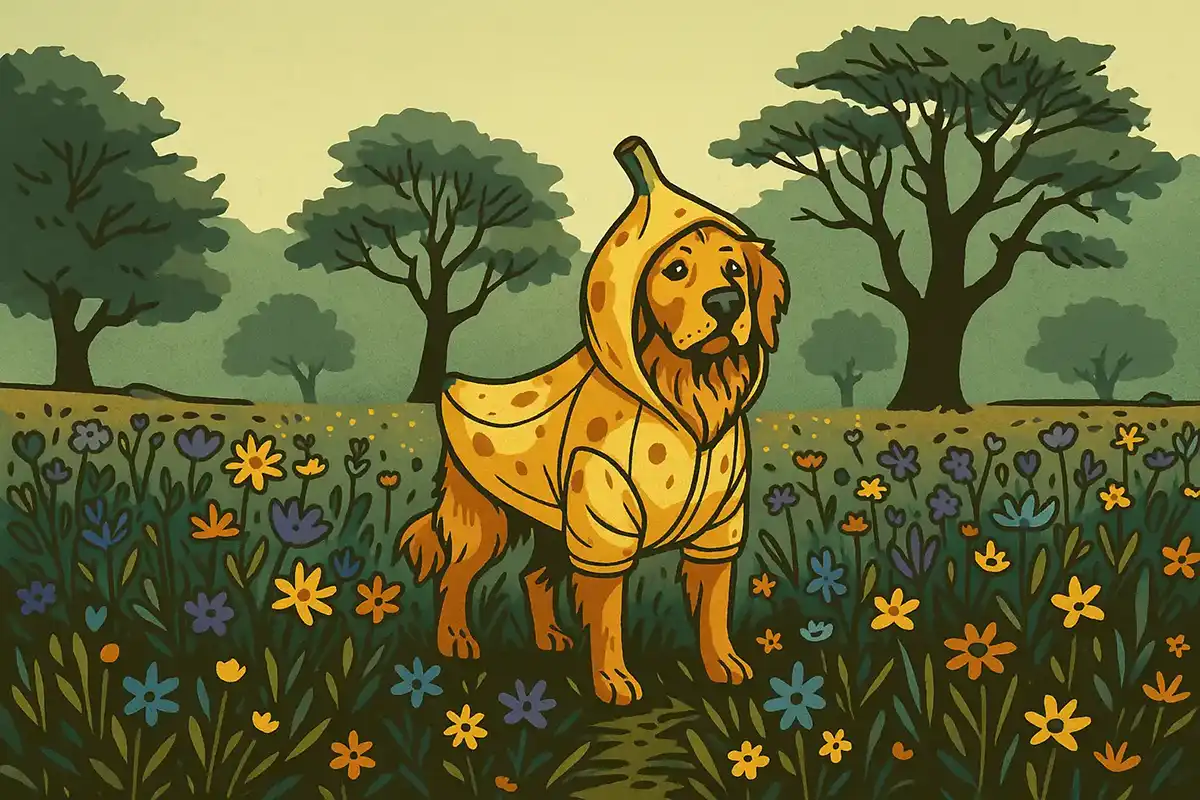
In the rapidly evolving landscape of artificial intelligence, Google has once again pushed the boundaries with the release of an extraordinary new AI image editor: Nano Banana. Officially identified as Gemini native image Gemini 2.5 Flash, this tool is described as “completely mind-blowing” and “the best image editing tool” ever seen for starting an online business. What makes it truly disruptive is that it’s almost free to use, outperforming established tools like ChatGPT, Photoshop, and even Canva in certain critical aspects. This isn’t just another AI tool; it’s a paradigm shift, opening up “so many opportunities that just didn’t exist a few weeks ago”.
While no tool can guarantee financial success, Nano Banana equips individuals and businesses with an unparalleled advantage, streamlining workflows and enabling creative feats that were once time-consuming, expensive, or simply impossible. Its ability to generate “insane” and “unbelievable” results with remarkable consistency and speed is a testament to its advanced AI model. This comprehensive guide will delve into the core capabilities of Nano Banana, explore over 20 revolutionary ways it can be monetised and integrated into creative projects, and provide practical tips for harnessing its full potential.
The Unrivalled Power of Nano Banana: Speed, Consistency, and Versatility
Before exploring specific applications, it’s crucial to understand why Nano Banana stands out. Its core strengths lie in three key areas:
- Blazing Fast Speed: When compared side-by-side with ChatGPT, Nano Banana demonstrates a staggering difference in processing time. For a complex image editing task involving replacing a person, removing another, and cleaning up a background, Gemini (Nano Banana) completed its first edit in approximately 8 seconds, and a subsequent re-edit was also finished rapidly. In stark contrast, ChatGPT took “several minutes to complete” just the first edit, delivering a result that was “bad” and “really, really off”. This incredible speed allows for rapid iteration and significantly boosts productivity.
- Unparalleled Character and Style Consistency: This is arguably Nano Banana’s “real game changer” and a “magical thing about this tool”. Many AI image generators struggle to maintain consistency across multiple images or edits of the same character or scene. Nano Banana, however, “nails it perfectly”. Whether you’re creating a comic with multiple frames, building out a film storyboard with different camera angles, or swapping outfits on a model for e-commerce, Nano Banana ensures the character, style, lighting, and environment remain remarkably consistent. This consistency is crucial for narrative coherence and professional-grade content.
- Exceptional Versatility and Precision: Nano Banana isn’t just fast and consistent; it’s incredibly versatile. It can perform a vast array of complex image manipulations with high precision:
- Object Removal/Addition: Seamlessly remove intricate elements like power lines or unwanted people, or add new objects (e.g., a golden banana) while maintaining natural hand positions.
- Background and Environment Swaps: Effortlessly change backgrounds to anything from a gym to a roller coaster ride or a vast green forest, making the subject feel naturally integrated.
- Detail Preservation: It maintains moles, nose rings, facial hair, and other unique facial features when generating professional headshots. It can even recreate the exact composition from a basic mockup.
- Material and Reflection Handling: Demonstrates an impressive understanding of materials, transforming objects into marble, water, or glass, and accurately rendering reflections, even shattered mirror effects.
- Text Manipulation: It can edit text within an image, like a neon sign, while preserving the original style, and even generate text on images accurately, which many other AIs struggle with.
- Smart Contextual Understanding: It can interpret complex prompts, such as generating a ground view from a Google Maps pin or creating a chalkboard with accurate letter counts for fruits.
( Source: Google Gemini app Official IG@googlegemini )
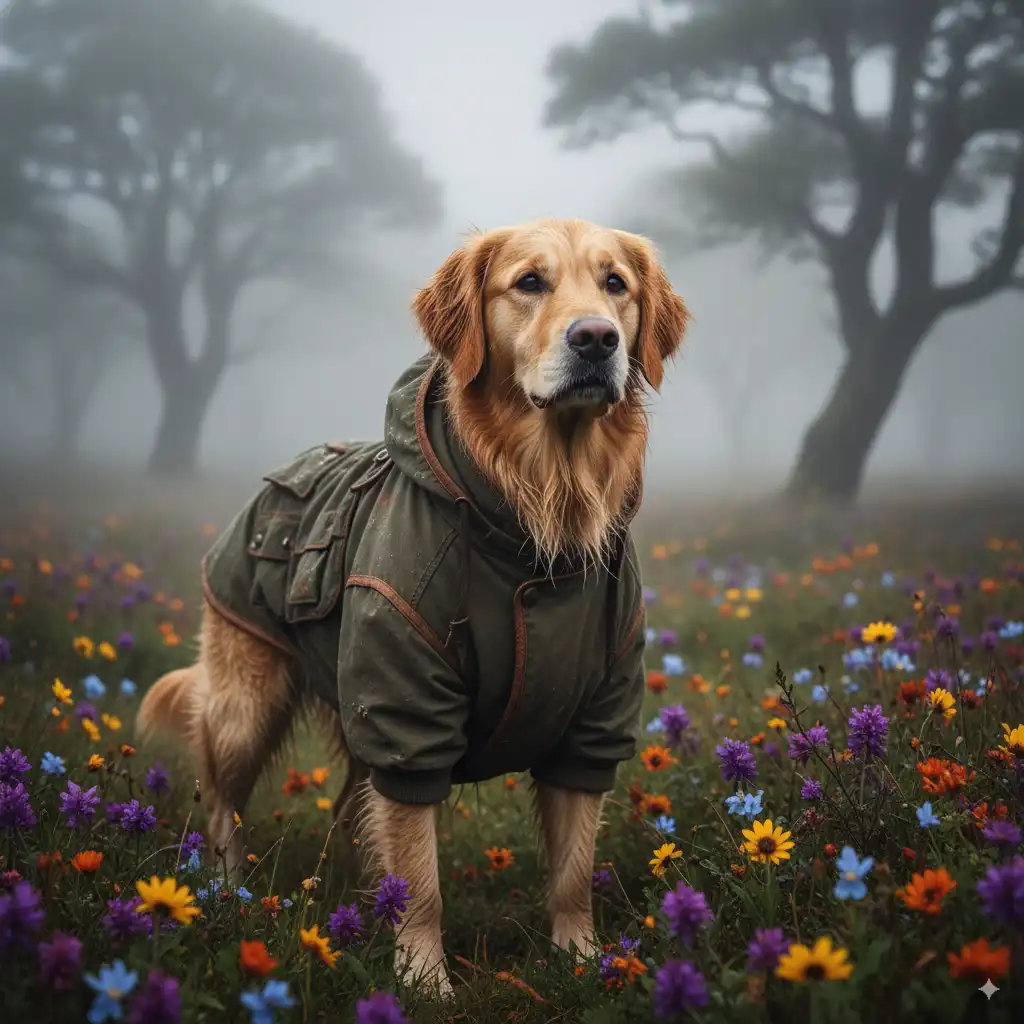
My Demo.
Image Details:
Dog’s appearance:
The dog is wearing a finely designed green jacket, featuring multiple pockets and detailed stitching, suggesting it is ready for an outdoor expedition.
Its fur falls naturally and contrasts with the clothing, adding warmth and approachability.

Background environment:
The grassland is covered with various vibrant wildflowers, including purple, orange and yellow blossoms, injecting energy into the scene.
Mist envelops the entire setting, rendering the distant trees hazy and creating a mysterious mood.

Atmosphere and emotion:
The dog’s posture is steady and resolute, as though it is exploring its surroundings, displaying traits of courage and curiosity.
The whole image exudes natural harmony, allowing one to sense the coexistence of serenity and adventure.

all in a 1:1 ratio.

Possible Story:
This dog may be the loyal companion of an explorer; together they are traversing a misty highland or woodland, seeking unknown vistas or simply savouring the pure beauty of nature. The dog’s attire shows it is a well-cared-for travel partner, fully prepared for changes in weather or terrain challenges.

Emotion and Inspiration:
The photograph communicates a spirit of resilience and the courage to explore nature, while reminding us of the preciousness of sharing outdoor moments with our pets. It also highlights the dog’s important role as an adventure companion.
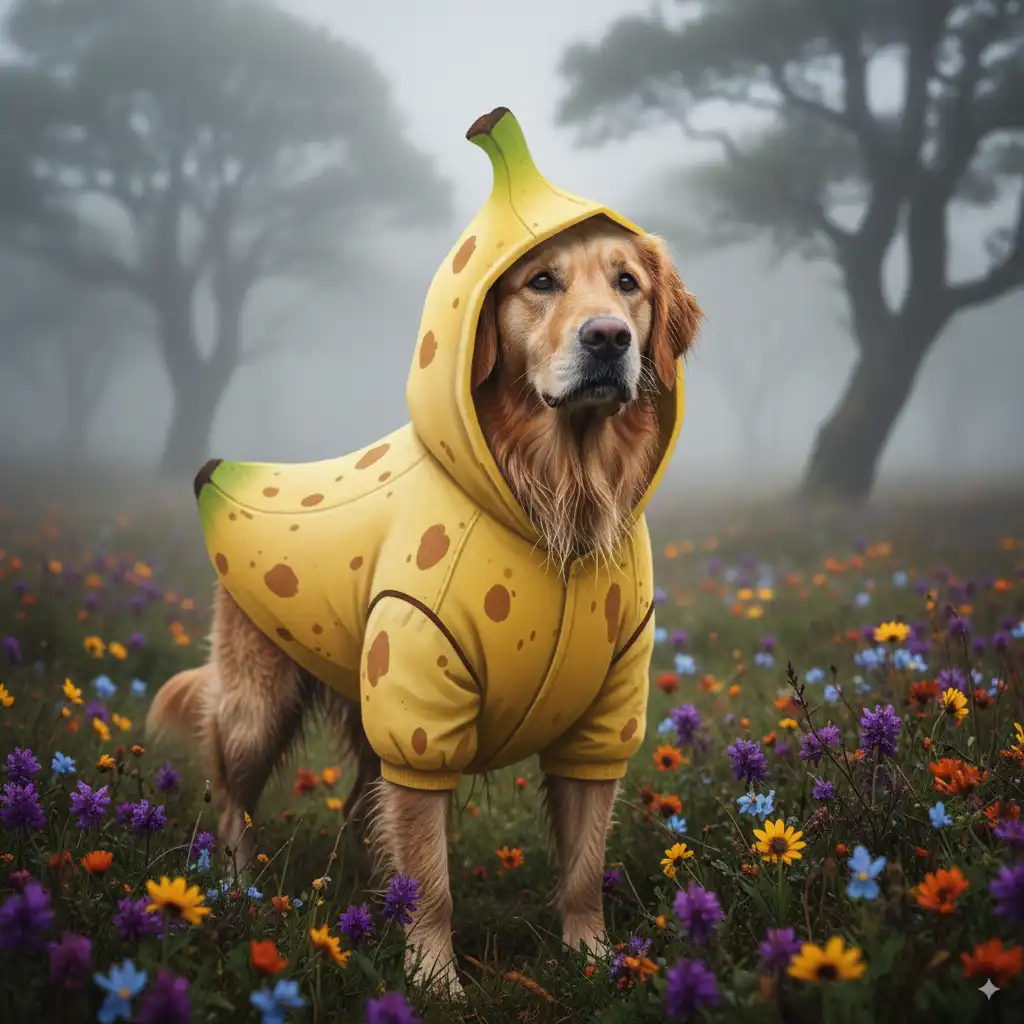
Let's get that adventurous pup into a banana-themed jacket
Over 20 Revolutionary Ways to Leverage Nano Banana for Business and Creativity
The capabilities of Nano Banana translate into a multitude of practical applications and lucrative business opportunities across various industries.
1. Professional Photo Editing Services
Forget complex Photoshop skills. Nano Banana allows you to offer general photo editing services with unprecedented ease and speed. You can easily remove people from photos, swap backgrounds, fix lighting, enhance appearances, or remove unwanted objects. Imagine completing a “photoshopping” job in seconds that would traditionally take an hour or more. This efficiency drastically increases your capacity and profit margins.
2. Creating High-Converting YouTube Thumbnails
Every YouTuber needs compelling thumbnails, but many struggle to create them. Nano Banana is a “huge” opportunity for this. You can upload a successful old thumbnail and instruct Nano Banana to update specific elements like the date or replace an old photo of yourself with a new one, all while maintaining the core composition and the “finger pointing at the box”. Unlike other AI generators, it updates images consistently without distorting facial features, making it the only tool capable of this level of consistency for thumbnails.
3. Realistic Tattoo Mock-ups
Tattoos are permanent decisions, making visualisation crucial. Nano Banana enables tattoo artists or service providers to create realistic mock-ups of what a tattoo will look like on a client’s body, from “multiple angles”. Simply upload a client’s photo and the tattoo design, and Nano Banana can render it, providing an invaluable pre-visualisation tool.
4. Game-Changing E-commerce Product Photography
This is a “complete game-changer for e-commerce companies”. Instead of hiring models and conducting expensive photoshoots for every new product, you can take a single photo of a model and seamlessly swap in different clothing items or products. Nano Banana can generate various angles (front, back) of the model wearing the new product, even inferring how the back of an item should look without explicit reference. This saves “a ton of time and money” for businesses on a tight budget. It can also transform basic product photos into “sleek marketing advertisement[s]” or posters.
5. Producing Professional Headshots
Professional headshots are essential for platforms like LinkedIn, but can be very expensive. Nano Banana offers a highly affordable solution. You can transform a casual selfie or photo into a polished, “LinkedIn-ready headshot” with professional lighting, appropriate business attire, and industry-specific backgrounds. Crucially, it “nails it perfectly,” maintaining unique facial features like moles and nose rings, which other AI generators often distort. This opens a service opportunity on platforms like Fiverr.
6. Custom Avatars, Character Designs, and Storybooks
Nano Banana boasts “some of the best character consistency out there”. This allows users to take a photo of someone and create “multiple versions of them in different styles like anime styles, different time periods, different outfits”. It can even generate multi-frame comics with the “same character” consistently and accurately render text within the images – a feature many other AIs fail at. This is invaluable for storyboarding, game development, or personalised gifts.
7. Streamlined Social Media Post Creation
For businesses or clients needing consistent content, Nano Banana makes creating social media posts “easier than ever”. You can upload an image (like a professional headshot generated by Nano Banana) and instruct the AI to add compelling text for an Instagram post, using its “own creativity” to craft engaging captions. This allows targeting “local businesses, social media managers, influencers, anyone who needs consistent content”.
8. Photo Restoration and Modernisation (Bonus Opportunity)
Nano Banana can breathe new life into old, damaged photographs. It can “restore this damaged vintage family photo” perfectly. Furthermore, it can “colourise” black and white photos with an “exceptional job at figuring out what’s in the image and colouring it appropriately,” even achieving “natural skin tones” while retaining a vintage vibe. Beyond colourisation, it can “modernise the photo,” making images sharper and updating clothing styles, turning antique photos into vibrant, contemporary visuals.
9. AI Filmmaking and Storyboarding
Nano Banana is an “absolute game-changer for AI creators”. It allows users to “upload a single image and spin it into endless camera angles and scene variations, all with solid character and style consistency”. This enables filmmakers to build out entire consistent scenes from a single starting frame, creating different camera angles (e.g., over-the-shoulder, extreme close-up, drone shots) and actions while maintaining the character, style, lighting, and environment. These still frames can then be taken into an AI video generator for animation. The ability to remove text from existing images (like magazine covers) also aids in creating clean starting points for scene development.
10. Interior Design Visualisations
For interior designers, Nano Banana is an “incredibly powerful tool”. You can upload a photo of an old or dilapidated room and prompt it to “turn this room into a refurbished empty modern room,” perfectly preserving dimensions. You can then add elements like modern sofas, artwork, plants, and even simulate “mood lighting at night”.
11. Artistic Style Transformation
Nano Banana makes changing between different art styles “extremely easy”. It can perfectly apply styles ranging from “N64 graphic style to Picasso and Van Gogh,” while “still keeping the composition of the initial image”. Uniquely, it can even apply a specific art style to “select parts of the image,” such as making a pizza look like a hand-drawn illustration while keeping the rest of the image realistic.
12. Dynamic Weather and Lighting Changes
Easily alter the weather in any scene. Taking a shot of New York, you can transform it into a “blisteringly hot day in summer,” heavy rain with people holding umbrellas, thick snow, fog, or even a sandstorm. It intelligently adjusts lighting and adds realistic details. Similarly, you can “dial in” specific lighting conditions, such as changing a scene to “night” to create realistic day-for-night shots.
13. Colour Manipulation
Change the colours of objects within an image with simple prompts. For instance, you can “repaint this car in banana yellow and shiny chrome pink” or “matte black,” achieving realistic material looks.
14. Animal Breed Transformation
Transform animals within an image while maintaining the original pose and context. An image of a pug can be “transform[ed] into a husky breed” or a “white wolf,” even adding accessories like a rubber ring.
15. Food Styling and Presentation
Enhance the visual appeal of food. You can make a burger “look fresh, appetising and steaming hot,” adding vibrancy and steam. It can even intelligently create “deconstructed shot[s] of the burger with each ingredient floating above one another”.
16. Mockups for Complex Poses and Compositions
For artists or designers, Nano Banana can use “very simple sketch[es] as references” to generate complex character poses, making it “very powerful for creating really complex poses”. Similarly, you can use “basic mockups” with multiple reference images to guide Nano Banana in creating the “exact composition that I wanted”.
17. Crowd Control and Subject Focus
In busy scenes, Nano Banana can “remove half the people,” or even “create that scene where one person is in focus with everyone else out of focus,” perfectly understanding and executing the prompt.
18. Character Transformation
Have fun turning people into different characters from films or fantasy worlds. You can transform Timothy Chalamet into an elf or Christian Bale into a hobbit or an orc, with Nano Banana maintaining the original lighting to make it feel like a “natural replacement”.
19. Logo Design and Modification
Beyond editing text, Nano Banana can redesign logos. You can change a Jaguar logo to say “Atomic Gains” and replace the animal head with a “chrome banana,” resulting in something that looks like a “professional 3D render”. It can also change a Ferrari logo into a dragon and a banana.
20. Creating Comic Strip Styles
Transform images into “comic strip styles,” with Nano Banana even adding “text and a comic book panel rectangle around it,” making it a “really nice touch”.
21. Adding Motion Blur for Action Shots
For action scenes, you can easily “add loads of motion blur trails to the person running fast,” enhancing the sense of speed.
22. Location-Based AI Experiences
A truly impressive and “interesting way” to use Nano Banana is by taking a screenshot from Google Maps with a red pin (e.g., in Paris) and prompting it to “draw a ground view of the red pin.” It can accurately identify landmarks like the “Arctic Triumph”. Furthermore, by prompting it as a “location-based AR experience generator,” it can “highlight the point of interest in this image and annotate relevant information about it,” providing a box with details about the building.
23. Intelligent Content Generation
Nano Banana demonstrates an advanced level of intelligence. For example, it can “create an image of a chalkboard in a classroom with three chalk drawings: a cherry banana and a watermelon under each, write the most repeated letter and its accurate count,” and it will accurately provide “r2 for cherry”, etc.. This showcases its ability to understand complex instructions and generate factually correct visual information.
How to Access Nano Banana (Gemini 2.5 Flash Image) for FREE
There are several ways to access this powerful tool without spending a penny:
- Google Studio: Visit https://aistudio.google.com/. You’ll notice it mentions “Gemini native image Gemini 2.5 flash.” You can directly enter your prompt there, and it will automatically use Nano Banana.
- Google Gemini: Go to Google Gemini, and on the top left, you’ll see “2.5 flash turn on image.” Clicking this will enable Nano Banana.
- LM Arena (for potentially unlimited generations): For potentially “infinite” free generations, a recommended method is to use LMArena.ai. It’s suggested to open an incognito window, type in LMArena.ai, verify you’re human, accept cookies, and then select “direct chat” at the top and “generate images” at the bottom of the chat box. This will automatically set it to “Gemini 2.5 flash image preview,” which is Nano Banana, confirmed by the official LM Arena Discord. While LM Arena might impose a limit after a certain number of generations, simply opening a new incognito window allows you to bypass this and “keep going like infinitely”.
Tips for Optimal Usage and Prompting, including official prompt instruction
Official prompt instruction tutorials, API usage and limitations
Hundreds of Prompts are on GitHub
- Be Specific but Flexible: While detailed prompts often yield better results, sometimes simpler prompts are more effective. If Nano Banana struggles (e.g., “hitting an error on the 3 to 4-second mark”), try rewording your prompt or changing its format, as “there’s probably something that Google doesn’t like about your prompt”.
- Trial and Error: Like any AI tool, “it is trial and error” to achieve specific results. Don’t be afraid to rerun prompts or make slight variations.
- Avoid Over-styling in Prompts: In some experiments, adding stylistic references like “dramatic and cinematic” at the very end of a prompt seemed to “throw it off” and yielded less desirable results. Experiment with prompt structure.
- Leverage Multiple Inputs: For complex tasks like product advertising or composition setup, use multiple input images (e.g., a model photo and a product photo) to guide the AI more effectively.
Conclusion: The Future of Visual Content is Here
Google’s Gemini 2.5 Flash Image, affectionately known as Nano Banana, is more than just an AI image editor; it’s a testament to the incredible advancements in artificial intelligence. Its unparalleled speed, astonishing consistency, and expansive versatility empower everyone from online entrepreneurs to seasoned creative professionals to achieve their visual goals with unprecedented efficiency and quality. The fact that it’s completely free makes it an indispensable tool for anyone looking to innovate, save costs, and expand their creative and business horizons. We are truly “only scratching the surface” with what’s possible, and the future of visual content creation has never looked brighter or more accessible. Embrace Nano Banana and unlock your potential today.
Frequently Asked Questions (FAQ)
Q1: What is Nano Banana, and how is it related to Gemini 2.5 Flash Image?
A1: Nano Banana is the informal, popular name for Google’s new AI image editor, which is officially identified as Gemini native image Gemini 2.5 Flash. It’s a powerful and free AI model designed for advanced image generation and editing.
Q2: Is Nano Banana truly free to use?
A2: Yes, Nano Banana (Gemini 2.5 Flash Image) is basically completely free to use. You can access it through Google AI Studio, Google Gemini, or third-party platforms like LMArena.ai.
Q3: How does Nano Banana compare to other AI image generators like ChatGPT, Photoshop, or Canva?
A3: Nano Banana is highlighted as “the best image editing tool” for online business, often outperforming ChatGPT in speed and quality. For example, Nano Banana can complete edits in approximately 8 seconds, while ChatGPT took “several minutes” for the same task and produced inferior results. It also offers “unparalleled character and style consistency”, which many other generators lack. While it may not fully replace the entire suite of features in professional tools like Photoshop or Canva, it excels in specific, complex image manipulation tasks with remarkable ease and speed.
Q4: Can I use Nano Banana for commercial purposes, like starting an online business? A4: Yes, the sources explicitly mention “seven different ways people could potentially use it to start an online business, plus one bonus way”. These include offering photo editing services, creating YouTube thumbnails, e-commerce product images, professional headshots, and social media content. Its free nature and advanced capabilities make it ideal for entrepreneurs.
Q5: What are the main advantages of using Nano Banana for image generation?
A5: Its main advantages include blazing-fast generation speed (e.g., 8 seconds for a complex edit), unparalleled character and style consistency across multiple images and edits, and its exceptional versatility in performing a wide range of complex tasks from object removal to environment swaps and material changes. Basically, it’s completely free to use.


